

QuickBooks is excellent software. It is not, by itself, a bookkeeping system. The quality of your numbers still depends on who codes the bank feed, who reconciles the accounts, and who notices when GST, payroll or personal spend has drifted into the wrong place.
That is why searching for QuickBooks bookkeeping services is a provider decision, not a software decision. This guide is a practical brief for Australian business owners who already use QuickBooks Online (or are about to) and need to choose the right person — or firm — to run the file.
Why QuickBooks still needs a bookkeeper
QuickBooks records what you tell it. A bookkeeper decides what those lines mean. Bank rules, receipts, supplier bills and payroll exports all have to be classified so the profit and loss, GST reports and year-end pack actually match reality.
Owners who “just keep it in QuickBooks” usually hit the same problems:
- Bank feeds accepted in bulk, with categories that looked close enough at the time
- Personal and business spend mixed in the same account
- Supplier bills sitting unmatched against payments
- GST coded by habit rather than by the tax invoice
- A file the accountant has to rebuild every year, which costs more than a monthly bookkeeper ever would
Cloud software makes the work faster. It does not make judgement optional. For the broader remote model, see what a virtual bookkeeping service is and when to use one.
Bookkeeper versus accountant: split the work
A bookkeeper should keep the file current: transactions, reconciliations, invoices, bills, and a BAS-ready set of accounts. An accountant should use that file for tax, structure, and advice — not spend billable hours untangling last quarter’s bank rec.
If you are paying an accountant to do daily QuickBooks maintenance, you are usually overpaying for routine work and underusing their expertise. The better pattern is a specialised QuickBooks bookkeeper through the month, with the accountant reviewing at BAS and year end.
What a capable QuickBooks bookkeeping service actually does
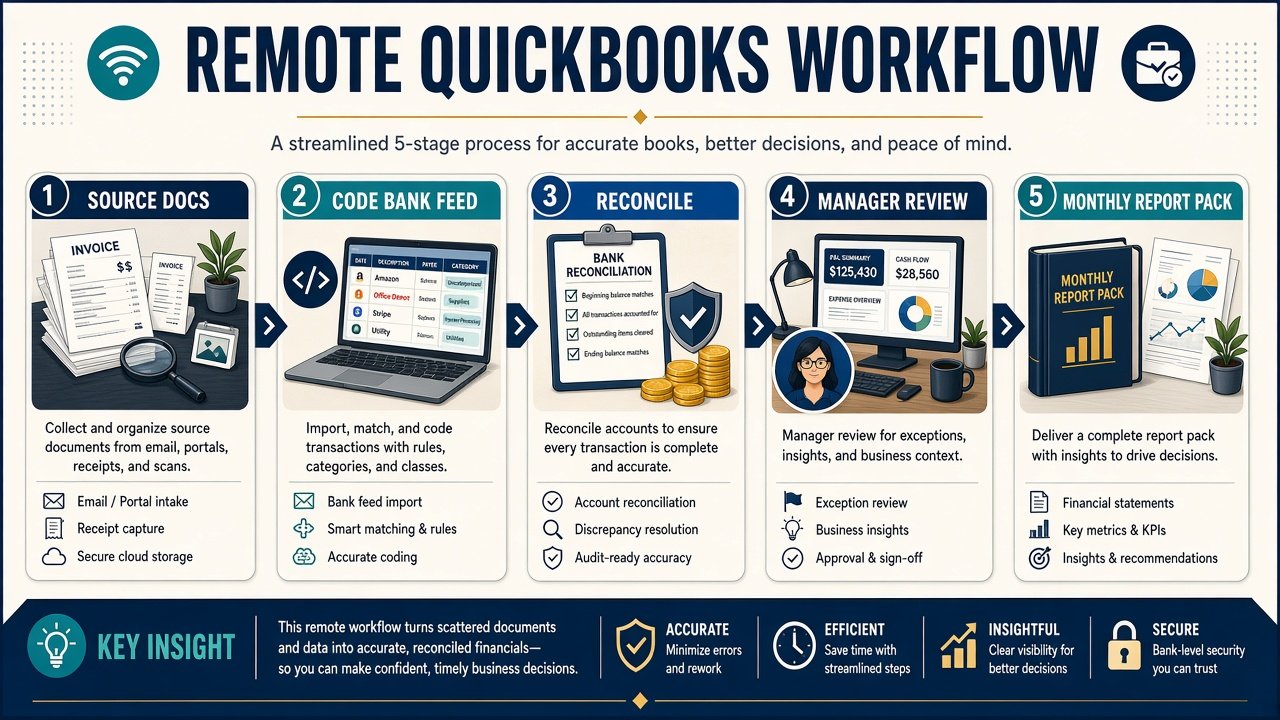
Ask providers to describe the monthly cycle, not a generic “we do bookkeeping” list. A useful scope typically includes:
- Bank and credit-card reconciliation — every account, every month, with unmatched items chased rather than parked
- Sales and purchases — invoices raised or imported, bills entered, payments matched
- GST coding — consistent treatment so BAS is a check, not a reconstruction
- Payroll support — if you have staff, pays, super and leave need to sit cleanly in the file
- Accounts receivable and payable — who owes you, who you owe, and ageing that a manager can act on
- Monthly reports — profit and loss, balance sheet, and a short note on anything unusual
Industry shape matters. A café’s daily takings, a medical practice’s billing, and a trade business’s job costs do not look the same in QuickBooks. If hospitality or clinical work is your world, read our notes on restaurant and café bookkeeping and bookkeeping for doctors.
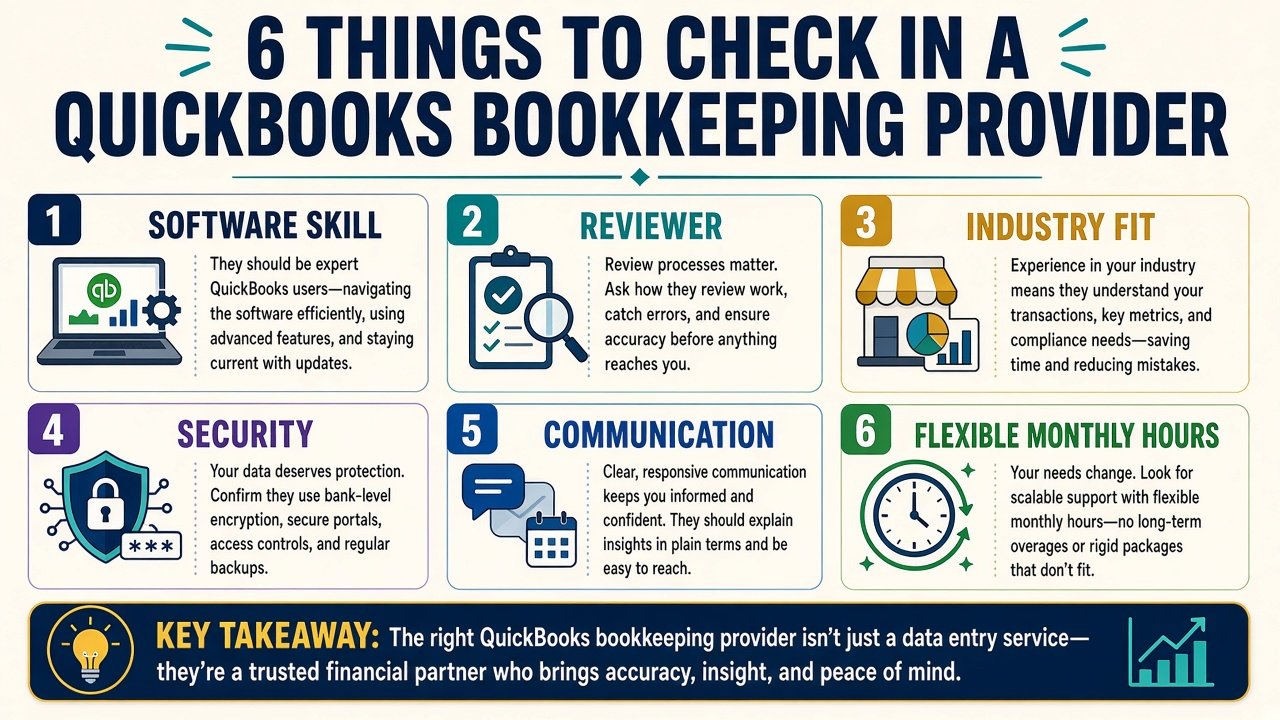
A checklist for choosing the right provider
Ignore brochure language. Press on six things.
- QuickBooks skill, not “we use accounting software” — Ask who is certified on QuickBooks Online and how long they have lived in the product. A Xero-only operator will be slower and more expensive on your file.
- Someone reviews the work — Unsupervised contractors make quiet mistakes. A qualified accountant or experienced manager should review the file on a set cadence. International Outsourcing Group’s bookkeeping is reviewed by accountant managers for this reason.
- Industry familiarity — Not a novel every time. Retail, trades, professional services, hospitality and not-for-profits each have patterns. See also non-profit bookkeeping if that is your structure.
- Access and security — Invite-only QuickBooks access, no shared logins, a clear process for source documents (scan, email, or a shared inbox).
- Communication you will actually use — A weekly or monthly check-in, a named contact, and a way to ask “what is this $2,400?” without waiting two weeks.
- Hours you can change — Month-end, BAS month and a quiet January do not need the same hours. Prefer monthly billing with hours you can lift or drop without a change fee or a lock-in.
Reviews help, but read them for process (“they reply, they catch errors, BAS is boring now”) rather than star-count alone.
You do not need a bookkeeper near you
“QuickBooks bookkeeper near me” is a leftover from paper folders and desktop installs. QuickBooks Online is built for remote work. Source documents can be photographed or scanned. Queries go through email, a shared folder, or a short video call.
A local desk can still be useful if you want someone in the room every week. It is not required for accuracy. Remote support also widens the pool: you can choose skill and supervision instead of whoever happens to be ten minutes away.
What you do need is Australian context — GST, super, PAYG and the way your accountant expects the file. A provider that already serves Australian businesses will spend less time learning the rules that sit around the software.
How to think about cost (without a made-up saving)
An on-site bookkeeper is never just a wage. Superannuation, leave, recruitment, training, a desk, a computer and the time you spend managing them all sit on top. For many small businesses that is more capacity than the file needs, most weeks.
Outsourcing flips the model: you buy the hours the file actually needs. A typical small QuickBooks file might only need a handful of hours a week. IOG’s virtual bookkeeping services start from as little as two hours a week, billed monthly, with hours you can change as the business moves.
We will not quote a universal “save X%” figure. The comparison depends on what you would otherwise hire, how messy the file is today, and how many entities or payrolls you run. Contact us if you want a side-by-side against your current arrangement.
Red flags that cost more than they save
Walk away, or at least slow down, if you see:
- No named reviewer and no sample of a monthly pack
- A cheap hourly rate with no training, backup or quality check — you become the supervisor
- Establishment fees, long lock-ins, or charges to change hours
- Vague software claims (“we can figure QuickBooks out”) when your file is already live
- No written process for BAS timing, document handover or year-end
The cheapest operator is often the one who leaves your accountant a reconstruction job in July.
How International Outsourcing Group runs QuickBooks files
International Outsourcing Group provides remote bookkeeping, administration and marketing support to businesses across Australia. On the bookkeeping side, the team is certified on QuickBooks Online (as well as Xero and MYOB), and work is managed and reviewed by accountant managers.
You choose the weekly hours. Billing is monthly. There are no establishment fees and no charges to change hours when the workload shifts. Owners keep their own QuickBooks subscription and access — we work inside your file, we do not take it hostage.
If growth is the other bottleneck, the same monthly model can cover outsourced marketing and white-hat authority work such as editorial backlinks — useful when the books are finally clean and you want the website to produce enquiries.
Next step
If your QuickBooks file is behind, your accountant is doing bookkeeper work, or you want a supervised remote bookkeeper instead of a local hire, contact us with your software, approximate weekly volume, and whether payroll is in scope. We will map a practical monthly bookkeeping plan you can adjust as you go.